
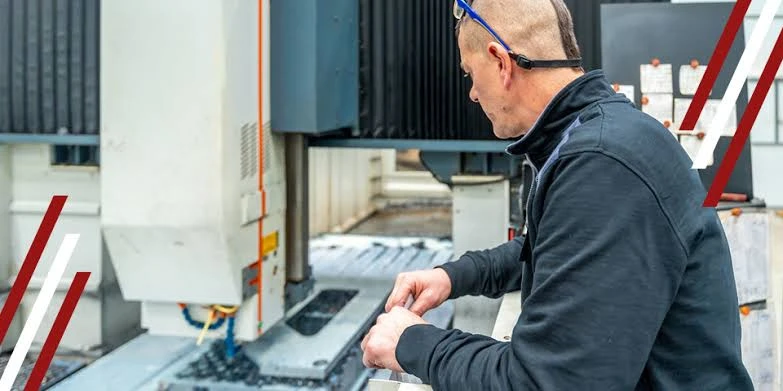
CNC machines are impressively reliable, but unexpected bottlenecks still happen, and CNC machine downtime often chips away at your productivity. The good news? Most machining downtime traces back to a few recurring, preventable causes. If you catch the root cause early, you keep your machines running and your schedule on track.
Let’s discuss the eight most common CNC machining problems, each paired with a quick, practical fix to reduce your unplanned production downtime.
Problem #1: Tool Wear and Tool Breakage
How to Solve It:
- Track tool life by run time or part count so replacements stay predictable.
- Replace tools before failure occurs, not after.
- Use proper cutting parameters for each material.
- Inspect tools regularly between jobs to catch early wear.
- Match tool material, coating, and geometry to the application.
Good tool life management and a reliable replacement schedule keep your CNC tooling performing at its best.
Problem #2: Incorrect Machine Setup
How to Solve It:
- Use standardized setup checklists for each job so nothing gets skipped.
- Verify tool offsets and work coordinates before cutting.
- Inspect workholding and part seating before each run.
- Complete a first-article inspection before committing to full production.
You can maintain machining accuracy with a consistent routine. More importantly, it gives every operator on your production line the same dependable starting point.
Problem #3: Deferred Preventive Maintenance
How to Solve It:
- Follow the manufacturer’s CNC maintenance schedule.
- Document all maintenance activities so nothing slips through.
- Train operators on daily checks: lubrication, coolant, and chip removal.
- Build a maintenance calendar based on machine hours or cycles.
Invest time and money into regular preventive maintenance to keep your schedule going. If you want to partner with a full-service CNC machine shop, make sure they engage in proactive maintenance, not reactive.
Problem #4: Programming Errors and G-Code Issues
How to Solve It:
- Simulate programs before running them on the machine.
- Verify tool offsets and work coordinates at setup.
- Dry run new programs with reduced rapid speeds.
- Use version control to prevent running outdated programs.
- Standardize programming and naming conventions.
Catching G-code problems early through program simulation and creating clean CNC tool paths is your best strategy for machine crash prevention.
Problem #5: Poor Workholding and Part Movement
How to Solve It:
- Inspect fixtures and clamps for wear before each job.
- Verify clamping force and part seating before each run.
- Use locating pins and stops for repeatable positioning.
- Consider custom fixtures for complex or high-volume parts.
- Replace worn components before they cause failures.
Thoughtful fixture design, solid part clamping, and well-maintained machining fixtures help you avoid common workholding problems and keep parts exactly where they belong. Consider partnering with a custom tooling design partner to avoid problems arising from poor workholding and part movement.
Problem #6: Coolant and Chip Management Problems
How to Solve It:
- Check coolant levels and concentration daily.
- Clean filters, nozzles, and lines on a regular schedule.
- Use appropriate chip evacuation for the material and operation.
- Select chip-breaking tooling for difficult materials.
Staying ahead of CNC coolant problems protects your machining tools and keeps cuts clean.
Problem #7: Excessive Machine Vibration and Chatter
How to Solve It:
- Adjust cutting parameters (speeds and feeds) for the operation.
- Reduce tool overhang wherever possible.
- Improve workholding rigidity.
- Use appropriate tooling for the application.
- Monitor recurring vibration to identify mechanical causes.
- Check spindle condition if chatter persists across jobs.
Prioritizing machining stability protects surface finish and keeps your runs smooth and quiet.
Problem #8: Machine Accuracy and Calibration Drift
How to Solve It:
- Perform regular inspections and calibration checks.
- Allow machines to warm up before tight-tolerance work.
- Monitor dimensional results and track trends over time.
- Use in-process probing to catch drift early.
- Address mechanical issues before they affect larger runs.
Staying attentive to dimensional accuracy keeps your CNC machining dependable, batch after batch.
Use These Fixes to Avoid Unplanned Downtime
If you’d like a dependable machining partner for precision CNC machining, look no further than H&H Tool and Die. We specialize in tooling design, have over 60 years of combined experience, and have served the oil and gas industry for 20+ years.
Contact us today to see how our CNC machining services meet your needs.